

 Set up docs MCP
Overview
ClickPipes is a managed integration platform that makes ingesting data from a diverse set of sources as simple as clicking a few buttons. Designed for the most demanding workloads, ClickPipes’s robust and scalable architecture ensures consistent performance and reliability. ClickPipes can be used for continuous data ingestion or one-time data loads.
ClickPipes can be deployed and managed using the ClickPipes UI, as well as programmatically using OpenAPI and Terraform.
Connectors
ClickPipes for Streaming
| Connector | Feature lifecycle | Data sources |
|---|---|---|
 Kafka Kafka |
GA | Apache Kafka, Confluent Cloud, Redpanda, AWS MSK, Google Cloud Managed Service for Apache Kafka, Azure Event Hubs, WarpStream, and other Kafka API-compatible data sources. |
 Amazon Kinesis Amazon Kinesis |
GA | |
 GCP Pub/Sub GCP Pub/Sub |
Private Preview |
ClickPipes for Object Storage
| Connector | Feature lifecycle | Data sources |
|---|---|---|
 Amazon S3 Amazon S3 |
GA | Amazon S3, Cloudflare R2, DigitalOcean Spaces, OVH Object Storage, and other S3 API-compatible data sources. |
 Google Cloud Storage Google Cloud Storage |
GA | |
 Azure Blob Storage Azure Blob Storage |
GA |
ClickPipes for CDC
| Connector | Feature lifecycle | Data sources |
|---|---|---|
 Postgres Postgres |
GA | Amazon RDS, Amazon Aurora, Google Cloud SQL, AlloyDB, Azure Flexible Server, Supabase, Neon, Crunchy Bridge, TimescaleDB, PlanetScale, self-managed, and other compatible data sources. |
 MySQL MySQL |
GA | Amazon RDS, Amazon Aurora, Cloud SQL, Azure Flexible Server, self-managed MySQL, Amazon RDS for MariaDB, self-managed MariaDB, and other compatible data sources. |
 MongoDB MongoDB |
Public Beta | MongoDB Atlas, Amazon DocumentDB, self-managed, and other compatible data sources. |
 BigQuery BigQuery |
Private Preview |
More connectors will get added to ClickPipes, you can find out more by contacting us.
AWS IAM database authentication
ClickPipes supports AWS IAM database authentication for Amazon RDS and Aurora. The configuration differs by database engine and AWS service, so choose the source setup guide that matches your database:
| Database engine | AWS service | Setup guide |
|---|---|---|
| PostgreSQL | Amazon RDS | RDS for PostgreSQL |
| PostgreSQL | Amazon Aurora | Aurora PostgreSQL-Compatible Edition |
| MySQL | Amazon RDS | RDS for MySQL |
| MySQL | Amazon Aurora | Aurora MySQL-Compatible Edition |
| MariaDB | Amazon RDS | RDS for MariaDB |
List of Static IPs
The list of ClickPipes static NAT IPs has moved to the ClickPipes networking documentation.
Adjusting ClickHouse settings
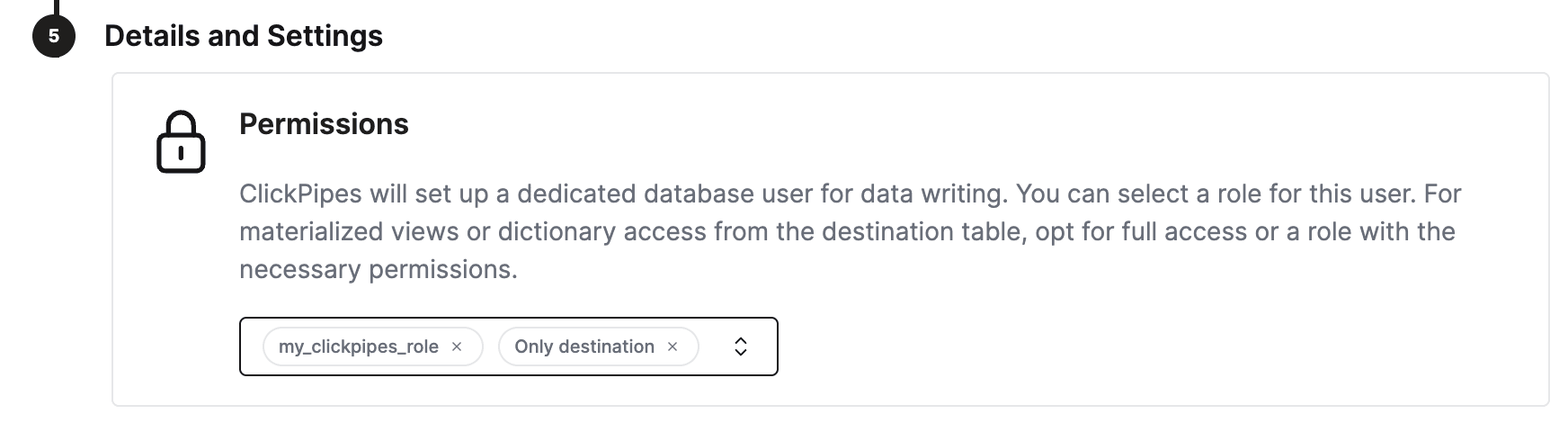
ClickHouse Cloud provides sensible defaults for most of the use cases. However, if you need to adjust some ClickHouse settings for the ClickPipes destination tables, a dedicated role for ClickPipes is the most flexible solution. Steps:
- create a custom role
CREATE ROLE my_clickpipes_role SETTINGS .... See CREATE ROLE syntax for details. - add the custom role to ClickPipes user on step
Details and Settingsduring the ClickPipes creation.
Adjusting ClickPipes advanced settings
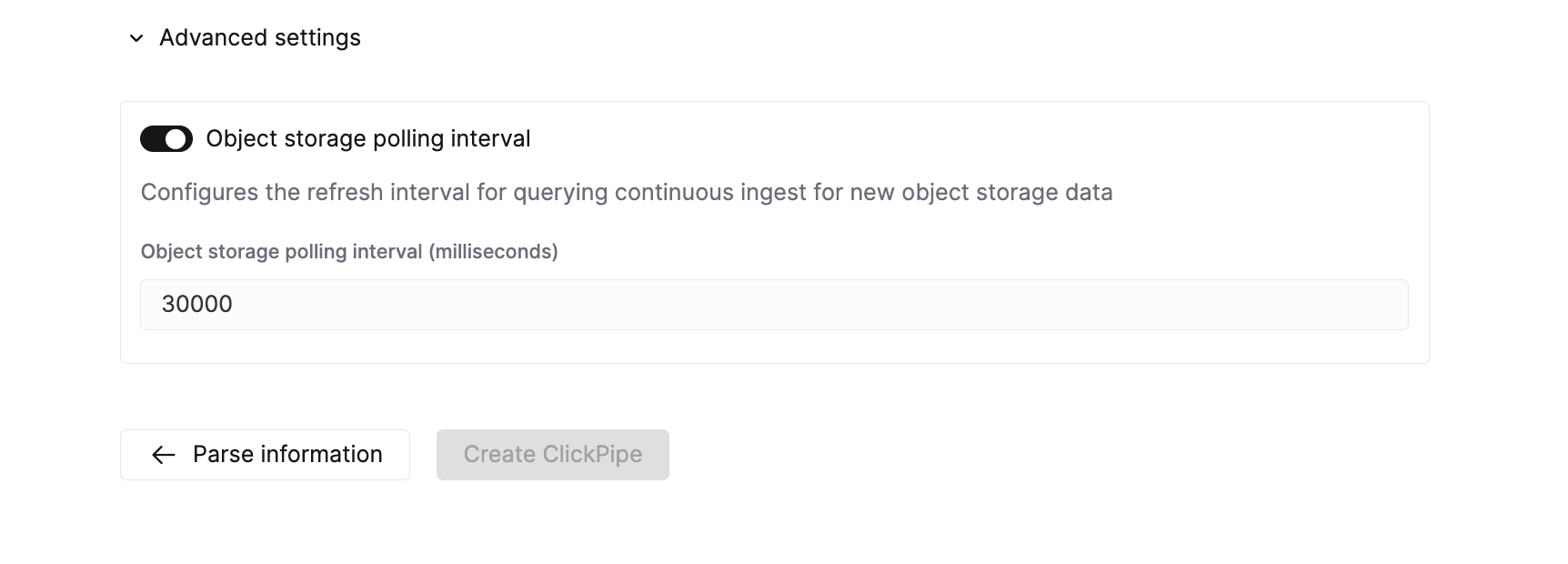
ClickPipes provides sensible defaults that cover the requirements of most use cases. If your use case requires additional fine-tuning, you can adjust the following settings:
Object storage ClickPipes
| Setting | Default value | Description |
|---|---|---|
Max insert bytes |
10 GB | Number of bytes to process in a single insert batch. |
Max file count |
100 | Maximum number of files to process in a single insert batch. |
Max threads |
auto(3) | Maximum number of concurrent threads for file processing. |
Max insert threads |
1 | Maximum number of concurrent insert threads for file processing. |
Min insert block size bytes |
1 GB | Minimum size of bytes in the block which can be inserted into a table. |
Max download threads |
4 | Maximum number of concurrent download threads. |
Object storage polling interval |
30 s | Configures the maximum wait period before inserting data into the ClickHouse cluster. |
Parallel distributed insert select |
2 | Parallel distributed insert select setting. |
Parallel view processing |
false | Whether to enable pushing to attached views concurrently instead of sequentially. |
Use cluster function |
true | Whether to process files in parallel across multiple nodes. |
Streaming ClickPipes
| Setting | Default value | Description |
|---|---|---|
Streaming max insert wait time |
5 s | Configures the maximum wait period before inserting data into the ClickHouse cluster. |
Error reporting
ClickPipes will store errors in two separate tables depending on the type of error encountered during the ingestion process.
Record errors
ClickPipes will create a table next to your destination table with the postfix <destination_table_name>_clickpipes_error. This table will contain any errors from malformed data or mismatched schema and will include the entirety of the invalid message. This table has a TTL of 7 days.
System errors
Errors related to the operation of the ClickPipe will be stored in the system.clickpipes_log table. This will store all other errors related to the operation of your ClickPipe (network, connectivity, etc.). This table has a TTL of 7 days.
If ClickPipes can’t connect to a data source after 15 min or to a destination after 1 hr, the ClickPipes instance stops and stores an appropriate message in the system error table (provided the ClickHouse instance is available).
Monitoring
In addition to in-console monitoring, ClickPipes exposes metrics to a Prometheus-compatible endpoint for scraping. These metrics are published with other ClickHouse Cloud service metrics, and allow you to integrate ClickPipes monitoring with your existing observability stack (e.g., Grafana, Datadog). See Monitoring ClickPipes for the full list of available metrics.
FAQ
-
What is ClickPipes?
ClickPipes is a ClickHouse Cloud feature that makes it easy for you to connect your ClickHouse services to external data sources, specifically Kafka. With ClickPipes for Kafka, you can easily continuously load data into ClickHouse, making it available for real-time analytics.
-
Does ClickPipes support data transformation?
Yes, ClickPipes supports basic data transformation by exposing the DDL creation. You can then apply more advanced transformations to the data as it is loaded into its destination table in a ClickHouse Cloud service leveraging ClickHouse’s materialized views feature.
-
Does using ClickPipes incur an additional cost?
ClickPipes is billed on two dimensions: Ingested Data and Compute. The full details of the pricing are available on this page. Running ClickPipes might also generate an indirect compute and storage cost on the destination ClickHouse Cloud service similar to any ingest workload.
-
Is there a way to handle errors or failures when using ClickPipes for Kafka?
Yes, ClickPipes for Kafka will automatically retry in the event of failures when consuming data from Kafka for any operational issue including network issues, connectivity issues, etc. In the event of malformed data or invalid schema, ClickPipes will store the record in the record_error table and continue processing.